
How to Accept Restaurant Gift Cards
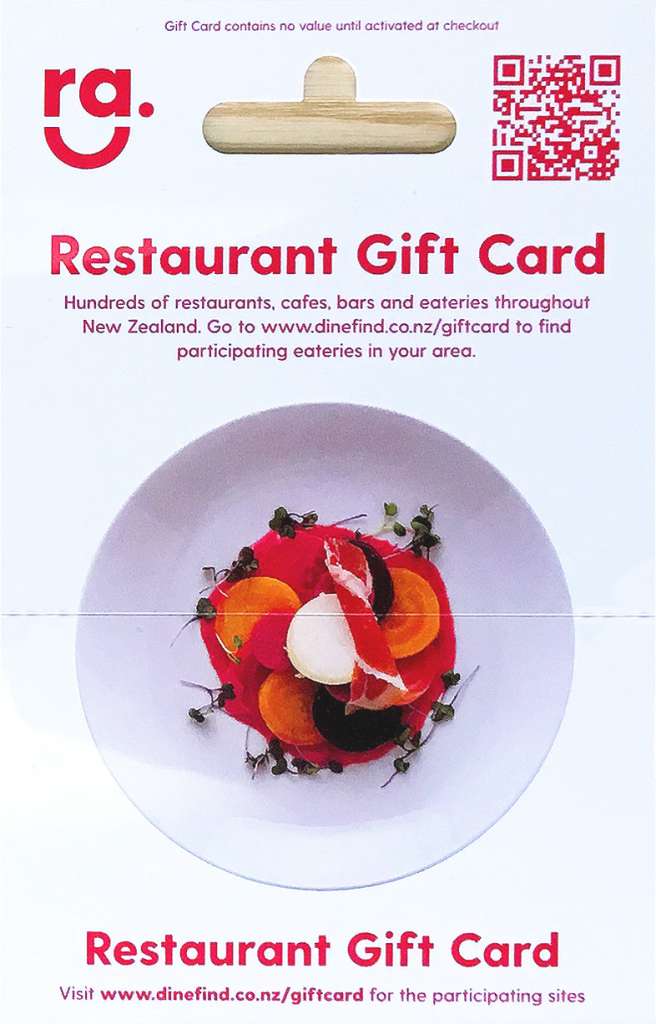
Restaurant Gift Cards are an exclusive member benefit that allows your customers to pay using gift cards they’ve received. The cards are purchased at www.giftstation.co.nz, or from thousands of retail outlets around Aotearoa.
Member Benefits at a Glance
✓ No transaction fees – Keep 100% of the payment
✓ No merchant fees – Exclusive benefit for Restaurant Association members
✓ No setup costs – Free to register and accept
✓ Works with existing equipment – No special hardware needed
These cards come in various denominations, providing a fee-free payment option that works seamlessly with your existing eftpos terminal.
Customers with Restaurant Gift Cards search dinefind.co.nz to find venues that accept them. To start receiving these customers:
- Register your venue to accept the cards (if you haven’t already)
- Keep your information up to date so customers can easily find you
- Follow the simple processing steps below
How to process a Restaurant Gift Card
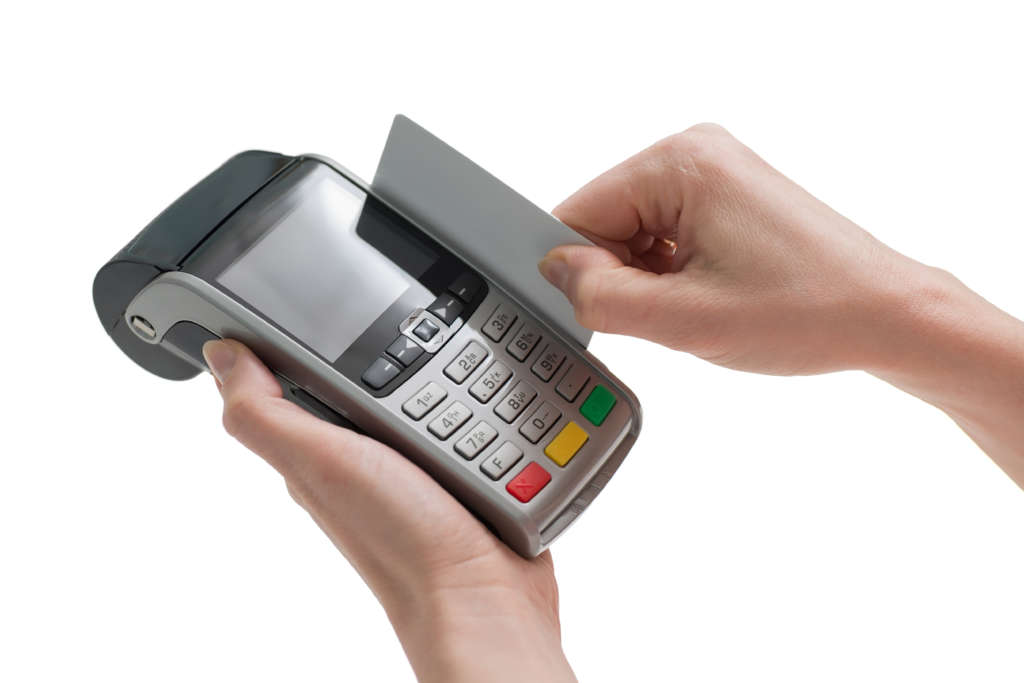
Step 1: Initiate payment
Make sure you process the card at time of payment.
These steps can be done by either the customer or a staff member.
If processing the payment yourself, take the card from the customer.
Step 2: Reveal PIN & swipe card
Scratch off the pin cover on the reverse side of the card.
Swipe the card through your eftpos machine
Step 3: Enter PIN and complete transaction
Select “Credit”
Enter the PIN number (on the back of the card) and hit enter
If the payment is accepted the eftpos terminal will display accepted
That’s it! Easy and fee-free.
Need Help?
If you experience any technical issues processing a gift card, please contact pay on 0800 64 9999.
Important details:

Split payments
If the customer’s purchase exceeds their gift card balance, you can split the payment using other methods such as cash, eftpos, or credit card. The gift cards are simply a payment method like any other.
Do not accept expired cards
Do not accept expired cards for processing later. The gift cards are a partnership with epay-Gift Station, and their expiry policy states that expired gift cards cannot be redeemed for payment.
Terminal or merchant account changes
You must be set up to accept the plastic gift cards. If you change your eftpos terminal or merchant account, you need to update us with the new numbers or the cards will not be accepted. Update your details here.
Checking balance and expiry
Customers can check their card balance and expiry date by following the instructions on the back of the card – going to www.giftstation.co.nz.
Payment processing
All reimbursements are made by epay weekly.
An optional but recommended
Acceptance of Restaurant Association Gift Cards is optional but highly recommended. If you accept the gift cards we’ll add an extra flag on your dinefind.co.nz listing to signal to diners looking to use their cards that they can come to you – increasing your visibility to potential customers.
Frequently Asked Questions

Where are the Restaurant Gift Cards sold?
New World, PAK’nSAVE, Countdown, Paper Plus, Life Pharmacy, Civic Video, The Warehouse, Warehouse Stationery, Zed petrol stations and Take Note stores nationwide, as well as in selected 4 Squares and online at www.giftstation.co.nz
How is my terminal updated to accept Gift Station gift card payments?
We register your terminal ID with Paymark or ENZ to be able to process gift cards. All you need to do is log on.
Will accepting gift cards interfere with my own gift vouchers?
Not at all. Customers with Restaurant Gift Cards, Vouchers, or eVouchers have normally been gifted them. It’s simply another fee-free payment option for your customers, separate from your own voucher programme.
How does a customer know how much money is on a gift card?
The user can check their balance at www.giftstation.co.nz. Some terminals also support balance enquiry function and the current balance is printed on the receipt with every purchase transaction.
I’ve never had anyone come in with gift card
Restaurant Gift Card holders use dinefind.co.nz to search for venues that accept them. If you’re not registered on the platform, customers won’t know you accept these cards. Once you’re listed, you’ll start appearing in customer searches and can expect cardholders to visit.
What if they spend more than is on their card?
The receipt from your terminal will read DECLINED and will display the card balance. The typical solution is to accept payment by split tender such as cash, eftpos, or credit card to cover the remaining balance (ensuring you accept the balance via the alternate payment method before representing the gift card). The gift cards are simply a payment method.
What if a customer spends less than the card value?
Process the transaction; the remaining balance on the card will be printed on the receipt. Do not give change as the card remembers the remaining balance, which is available for future use.
Are there any fees?
No. Restaurant Association members have exclusive access to the Restaurant Gift Card program and dinefind.co.nz listings as a member benefit. There are no transaction fees or merchant fees for accepting payment – you receive 100% of the amount.
How do customers check their card balance?
Customers can check their balance at www.giftstation.co.nz
What if the card is declined?
This usually means insufficient funds on the card. You can process a partial payment for the available balance and collect the remainder using another payment method. If you believe there’s a technical issue, contact epay on 0800 64 9999.
How do I redeem the Take Me Out gift vouchers?
Get step by step instructions for redeeming the Association’s Take Me Out vouchers here: www.restaurantnz.co.nz/ra-gift-voucher-redemption/.